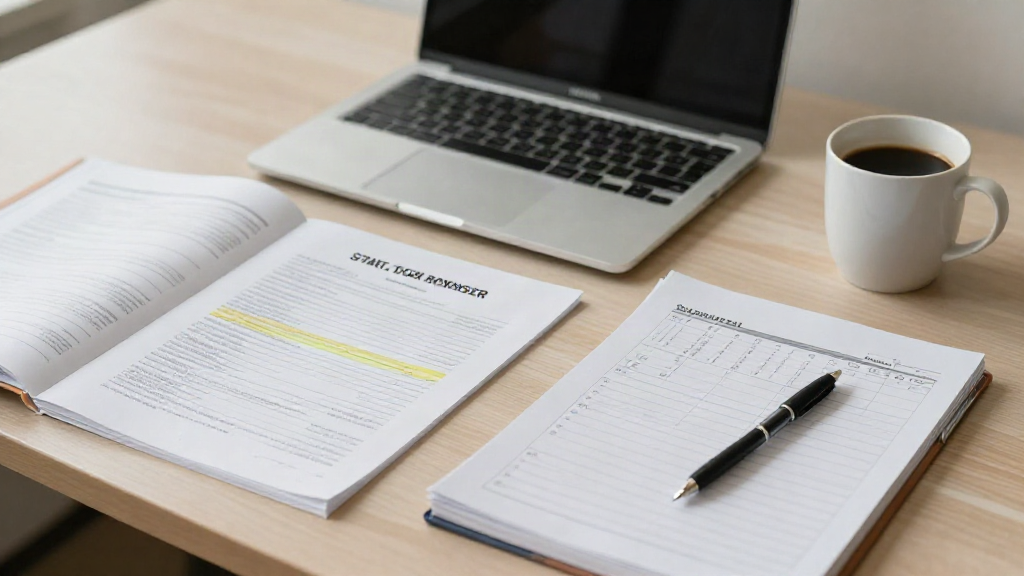
Syllabus week is the one week when the whole semester is still visible at once. Every professor hands you the same information in a different shape: a PDF in Canvas, a printed handout, a page you have to scroll through twice. This college syllabus week checklist is what to do with all of it in your first two weeks, so nothing lands on you later as a surprise.
The short answer: pull the fixed deadlines, exam windows, grade weights and late-work policies out of every syllabus, put all of it in one semester planner before your second week of classes ends, and keep a ten-minute weekly review. That is the whole job. The rest of this article is how to do it without losing an evening to it.
What to pull out of every syllabus before it piles up
Read each syllabus once with a pen or a notes app open, and pull only what changes your behavior. Four things matter more than everything else combined.
Fixed deadlines. Not every date matters equally. A reading you can do the night before is not the same as a paper due at 11:59 pm in a portal that closes. Mark the graded, non-negotiable ones.
Exam windows, not just exam days. Many syllabi give a range or a week rather than one date, and a midterm window that starts earlier than you assumed is exactly the kind of thing that ruins a weekend.
Grade weights. The percentage breakdown tells you where the semester is actually won. A class where participation is 20 percent and the final is 25 percent rewards a different kind of attention than one with two exams worth 40 percent each.
The policies that cost points. Late-work rules, attendance limits, drop dates, whether the lowest quiz gets dropped. These are the lines most students skip and then discover in November.
One more habit: check for the update. Professors revise dates, and the syllabus you downloaded in August is not always the syllabus in October. A calendar page that never gets refreshed quietly becomes wrong.
Get due dates, exam windows and weights into one plan
A separate spreadsheet, a phone calendar, a paper planner and five LMS dashboards is how a semester turns into a scavenger hunt. Pick one place and put everything there. The test is simple: if you have to open more than one app to answer what is due this week, the system is not working yet.
There are two ways to build it.
By hand. Put every fixed deadline and exam window on one calendar, in the order they come. Do it in a single sitting, in week one, while the syllabi are still open in front of you. It takes about an hour, and it is the highest-value hour of the semester.
With a semester planner. Summit reads a syllabus you upload and pulls the dates, deadlines, exam windows and grade weights into a plan, so the hour above mostly disappears. If your school runs on Canvas, Blackboard, Moodle, Brightspace, Google Classroom or Sakai, you connect your own account or private calendar feed and Summit pulls assignments and due dates and keeps them current. It never asks for your school password, and it never reads your LMS grades.
Either path ends in the same place: a To-Do that shows what is due in the order it is due, and a week view that tells you when things get heavy before they get heavy.
A simple routine for the weeks after syllabus week
The checklist only holds if something keeps it current. Three small habits carry most of the weight.
Sunday, ten minutes. Open next week and look at what is actually coming: what is graded, what is just reading, what needs more than one sitting. Move anything that is too much for one night earlier, while earlier still exists.
After class, two minutes. Note the one thing you would have to remember if you could not look it up, whether that is a changed date, a clarification from your professor, or a topic that did not click. If a recording or slides exist, put them in the same place as the rest of that class's material, so review later does not start with a search.
Before an exam, one focused session. Study by topic rather than by page, decide which topics actually need you, and put a timer on it. If you use flashcards, generate them from your own notes and slides and review each card before it saves. Practice built only from your own material is the practice that matches your exam.
Where a study app helps, and where it does not
Summit is a student aid, not a student replacement. It organizes the semester, records lectures so notes are ready when you leave class, keeps notes, slides and readings in one place per class, builds flashcards, quizzes and study guides from your own material, and shows what is sticking and what needs you most. It never does the work for you.
The same holds for grades. The final grade calculator works from the weights in your syllabus and the grades you enter, so you can see what you need on what is left. Your GPA updates as grades come in. Summit never estimates, predicts or projects a grade; if a number is not in your own inputs or your professor's gradebook, it says unsure. The professor's gradebook is the official record.
Start the semester on a calm footing
The first two weeks are the cheapest time to get this right. Ten dates in one place, a Sunday look-ahead, and a study loop that runs on your own material will do more for a semester than any app you install in October. The payoff is quieter than a productivity system: nothing sneaks up on you.
The next syllabus you open is the place to start. Upload it, let the dates land in one plan, and give yourself a term where the calendar is not a mystery. Start free; the current plans are on learnsummit.app/pricing.