A grade calculator and a GPA calculator look like the same tool. Both turn your grades into a number. But they answer different questions, and using the right one gives you a much clearer picture of your semester.
This guide covers the difference between a grade calculator and a GPA calculator, how each one does its math, worked examples you can follow with your own numbers, and how to read the results so you can plan with confidence.
What is the difference between a grade calculator and a GPA calculator?
A GPA calculator turns grades you’ve already earned into a credit-weighted average, so it shows where you stand. A grade calculator works with grades that aren’t final yet: it uses your syllabus weights to show what score you need on remaining work to reach a target grade. One looks back; the other helps you plan ahead.
| GPA calculator | Grade calculator | |
|---|---|---|
| Question it answers | Where do I stand right now? | What do I need to reach my goal? |
| What you enter | Final grades and credit hours | Scores so far, syllabus weights, target grade |
| What you get | Your semester or cumulative GPA | The score you need on remaining work |
| Time direction | Looks back | Looks ahead |
| Best for | Scholarships, applications, honors, eligibility checks | Deciding where to focus before finals |
Some tools call the second type a grade simulator or a “what if” calculator. The math is the same.
How a GPA calculator works
A GPA is a credit-weighted average. Each course’s grade points are multiplied by its credit hours to get quality points. Then total quality points are divided by total credit hours (University of Notre Dame Registrar).
The formula: GPA = total quality points ÷ total credit hours
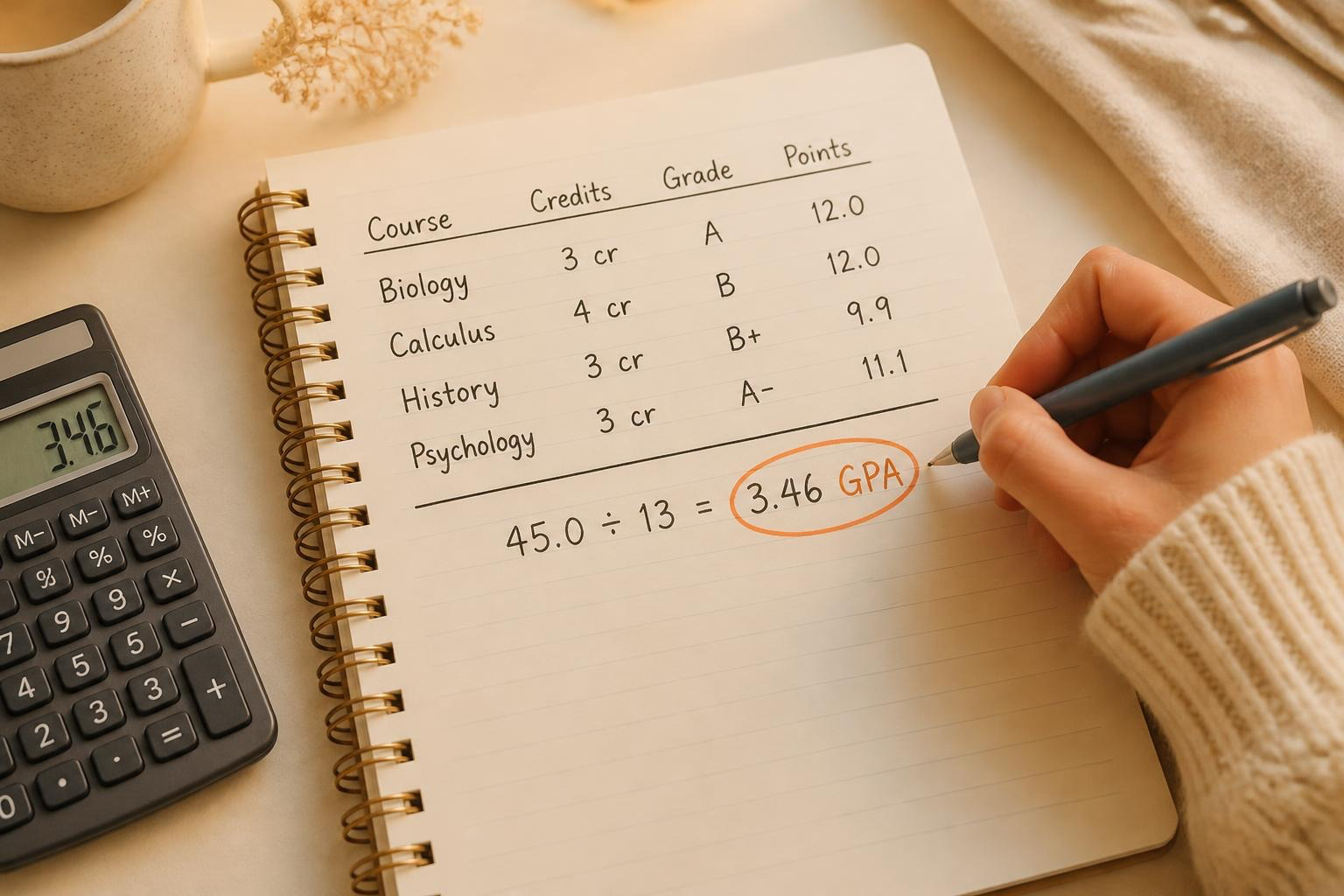
A worked example:
| Course | Credits | Grade | Grade points | Quality points |
|---|---|---|---|---|
| Biology | 3 | A | 4.0 | 12.0 |
| Calculus | 4 | B | 3.0 | 12.0 |
| History | 3 | B+ | 3.3 | 9.9 |
| Psychology | 3 | A- | 3.7 | 11.1 |
| Total | 13 | 45.0 |
45.0 ÷ 13 = 3.46 GPA
Notice that the 4-credit course counts for more than the 3-credit courses. That’s the credit weighting at work.
Two details vary by school. First, grade point values for plus and minus grades can differ slightly. Second, some schools truncate GPAs instead of rounding. The University of Illinois, for example, reports 2.1875 as 2.18 (University of Illinois Registrar). Pass/fail courses usually aren’t included. Check your registrar’s page for your school’s exact rules.
How a grade calculator works
A grade calculator works inside a single course. It uses the grading breakdown from your syllabus, such as quizzes 20%, midterm 30%, final 40%, and participation 10%, to show how your remaining work affects your final grade.
The most common question it answers is: What grade do I need on my final?
The formula: Score needed on final = (target grade − current grade × (1 − final weight)) ÷ final weight
Here, “current grade” is your average on everything completed so far, and “final weight” is the final exam’s share of the course grade, written as a decimal.
A worked example: Your completed work, worth 60% of the course, averages 84%. The final is worth 40%. You want an 85 in the course.
- (85 − 84 × 0.6) ÷ 0.4
- (85 − 50.4) ÷ 0.4
- 34.6 ÷ 0.4 = 86.5
You need about an 86.5 on the final. If your goal were a 90, you’d need a 99. That tells you something useful. An 85 is very reachable with focused prep. A 90 would take a near-perfect exam, so you may decide your study time is better spent on another class.
This is where a grade calculator earns its place. It helps you decide:
- How much prep your final really needs to reach your goal
- Which course will benefit most from extra study time this week
- How much room you still have to raise a grade
A scenario is not a prediction
A grade calculator does arithmetic, not forecasting. It knows the weights you entered and the scores you typed in. It doesn’t know how hard the final will be, whether your professor curves, or how you’ll perform on the day.
Several details from your syllabus can change the math:
- Dropped scores: Some courses drop the lowest quiz or homework grade.
- Curves and scaling: Adjustments applied after grading change the final numbers.
- Extra credit: Bonus points may or may not count toward the weighted total.
- Weight changes: A professor may adjust the breakdown during the semester.
The best way to use a grade calculator is to treat the result as a range of options, not a promise. If a detail is unclear, ask your professor or check the syllabus before you rely on the number.
Your professor’s gradebook is the official record
Whatever a calculator shows, your professor’s gradebook and your school’s registrar are the official record. Both calculators depend on you entering grades and weights correctly, and both can drift from reality if a weight changes or a grade is recorded differently than you expected.
When a calculator and the gradebook disagree, the gradebook is correct. Check the official record in your school’s learning management system (LMS), update your numbers, and plan from there.
How to use both tools well
- Use a GPA calculator when you need a clear picture of where you stand, such as before a scholarship application, an honors deadline, or a meeting with your advisor. Enter your real final grades and credits.
- Use a grade calculator in the weeks before finals, when you’re deciding where to focus. Enter your current scores and syllabus weights, then test a few target grades.
- In both cases, check the official gradebook before making a real decision. The tools help you think. The official record confirms what happened.
How Learn Summit fits in
Good grade math starts with your syllabus: the weights, the deadlines, and what’s coming next. Learn Summit keeps that in one place:
- Syllabus upload: Start your semester by uploading your syllabi.
- Planner Tab: The Semester Planner keeps every deadline in one view, so you can see which exams and papers are coming before you plan your study time. The Next Semester Planner helps you plan the term ahead.
- Statistics: Follow your progress across the semester.
- Flashcards: Turn final-exam prep into short, repeatable self-quizzing sessions.
For a full weekly routine built around your syllabus, see our guide on how to plan your week around your syllabus.
Frequently asked questions
What is the difference between a grade calculator and a GPA calculator?
A GPA calculator averages grades you’ve already earned, weighted by credit hours. A grade calculator uses your syllabus weights to show what you need on remaining work to reach a target grade in one course.
How do I calculate what I need on my final?
Subtract your current grade times the share of the course already completed from your target grade, then divide by the final’s weight. For example, with an 84% average on work worth 60% and a 40% final, you need about 86.5 to finish with an 85.
How is GPA calculated?
Multiply each course’s grade points by its credit hours to get quality points. Add the quality points, then divide by total credit hours. Grade point values and rounding rules vary by school, so check your registrar’s page.
Is a grade calculator accurate?
The math is accurate, but the result depends on what you enter. A calculator can’t account for curves, dropped scores, or weight changes unless you include them, so treat the result as a scenario.
Is a calculator result my official grade?
No. Your professor’s gradebook and your school’s registrar are the official record. Use calculators for planning and confirm decisions against the official record.
**Start for free with Learn Summit. **