How to Make Flashcards From Your Syllabus: A 20-Minute Method
Your syllabus is a map of the semester. It lists the topics, the readings, the exam dates, and the order your professor plans to teach everything. It’s also one of the best sources of flashcard material you have, and it’s already written for you.
This guide shows you how to make flashcards from your syllabus: how to pick the concepts worth carding, write questions that build real recall, and schedule reviews around your exams. It includes a worked example, the research behind each step, and a look at the algorithm many flashcard apps use to schedule reviews.
How do you make flashcards from your syllabus?
To make flashcards from your syllabus, turn each lecture topic into a small cluster of five to eight cards. Pick terms, processes, and lists likely to be tested, write each front as a question with one clear answer, keep the back short and in your own words, and review the cards on a spaced schedule before each exam.
Why flashcards work
Flashcards combine the two study techniques with the strongest research support. A major review of ten common techniques gave its highest rating to just two: practice testing and distributed practice (Dunlosky et al., 2013). Flashcards are both. Each card is a small test, and reviewing them over several days spaces out your practice.
Testing yourself also builds memory differently than rereading. In one study, students who took practice tests on a passage remembered more of it two days and one week later than students who reread it (Roediger & Karpicke, 2006).
Step 1: Let your syllabus tell you what to study
Professors build a course around units, and exams come from those units. Read your syllabus week by week. Each lecture topic becomes its own small cluster of cards, not part of one giant deck.
Spot the concepts worth turning into cards
Not every line needs a card. Look for:
- Terms that come with a definition
- Processes with steps in a set order
- Theories paired with a name
- Lists, like “three causes of” or “four stages of”
- Anything that appears in more than one week
Skip the administrative sections, such as attendance, late work, and office hours.
Also look at the verbs. When a learning objective says compare, explain, or identify, it’s telling you how you’ll be asked about that topic. Build your card around that verb.
One lecture topic, one card cluster
Group cards by week or unit. When an exam covers weeks one through six, you can review exactly that range. It also makes the deck easy to update when your professor adds or changes a topic.
Step 2: Write questions that test recall, not recognition
Recognition is seeing an answer and thinking, “Yes, I knew that.” Recall is producing the answer with nothing in front of you. Recognition feels like learning, but recall is what exams ask for, so write every card to make you produce the answer.
Front: a real question with one clear answer.
- “What are the four stages of X, in order?”
- “Why does A cause B?”
- “Define Y in one sentence.”
Skip yes-or-no and true-or-false questions. They let you guess and move on.
Back: one sentence, or a short list in order. If your answer needs a paragraph, your card is really three cards.
Write the answer in your own words instead of copying the slide. Putting an idea in your own words is a quick check on whether you understood the lecture or just wrote it down. Add the week and chapter to the back so you can find the source in seconds.
A worked example
Say your biology syllabus lists this for week four:
Week 4: Cell division. Explain the stages of mitosis and compare mitosis with meiosis.
That one line gives you a small cluster:
| Front | Back |
|---|---|
| What are the four stages of mitosis, in order? | Prophase, metaphase, anaphase, telophase. (Wk 4, Ch. 12) |
| What happens during anaphase? | Sister chromatids separate and move to opposite poles of the cell. (Wk 4, Ch. 12) |
| How many daughter cells do mitosis and meiosis each produce? | Mitosis: two identical cells. Meiosis: four genetically different cells. (Wk 4, Ch. 13) |
| Why does meiosis produce genetically different cells? | Crossing over and independent assortment shuffle genetic material. (Wk 4, Ch. 13) |
Notice that “explain” became a process card and “compare” became two comparison cards. The syllabus verbs did the planning for you.
Step 3: Build the deck in minutes
You don’t need a perfect deck. You need one you’ll use. Aim for five to eight cards per lecture topic. Forty cards you study will do more for you than three hundred you never open.
Once you’ve written a cluster, keep the cards that make you think, rewrite the ones you can answer without effort, and cut any that test trivia.
Step 4: Schedule reviews around your exams
Spreading your reviews over several days helps you remember information longer than one long session. The best gap between sessions also grows the further away your exam is (Cepeda et al., 2006). Your syllabus already lists the exam dates, so work backward from them.
A rhythm that holds up:
- The day after class: Make the cluster and review it once while the lecture is fresh.
- Mid-week: Ten minutes on this week’s cards.
- The weekend: Fifteen minutes across the last two weeks of cards.
- Two weeks before an exam: Mix older units back in.
- Exam week: Review every card the exam covers, with extra rounds on the ones you miss.
Keep the cards you know in rotation
It’s tempting to set aside a card once you get it right. Research suggests waiting. In one flashcard study, cards that students dropped after a single correct answer were recalled far less well on the final test than cards dropped after two correct answers, about 62% versus 88% (Kornell & Bjork).
So let the cards you miss come back more often, and keep the ones you know coming back at longer gaps instead of retiring them.
How spaced repetition apps decide when you see a card: the SM-2 algorithm
Most flashcard apps that schedule reviews for you trace back to one idea from the 1980s. Polish researcher Piotr Woźniak began testing review schedules on paper in 1985. By December 1987 he had built one of the first computer programs to space out reviews automatically. The method behind its early versions, known as SM-2, was described in his 1990 master’s thesis at the University of Technology in Poznań (Woźniak, 1990).
SM-2 works in four steps:
- You grade each answer from 0 to 5. A 5 is a perfect answer, a 3 is correct but difficult, and anything below 3 counts as a miss.
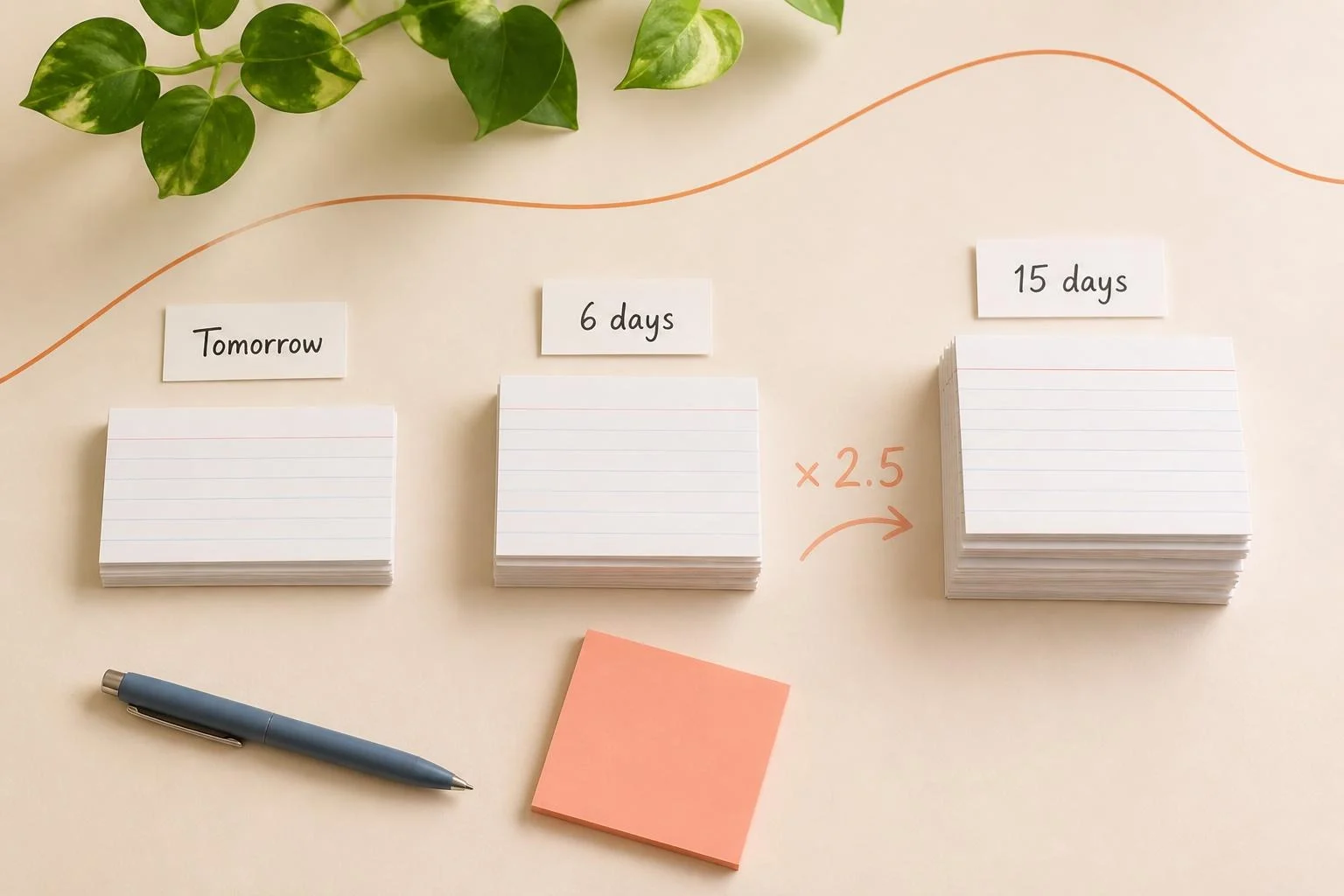
- The first two reviews are fixed. You see a new card again after 1 day, then after 6 days.
- After that, the gap multiplies. Each card has an “ease” score that starts at 2.5. The next gap is the last gap times that score.
- Your answers adjust the ease. Easy answers raise it, so the card comes back less often. Hard answers lower it, though never below 1.3. A miss sends the card back to the start of its schedule.
Here’s how that plays out for a card you keep answering well, with an ease of 2.5:
| Review | Days until next review |
|---|---|
| 1st | 1 |
| 2nd | 6 |
| 3rd | 15 (6 × 2.5) |
| 4th | 38 (15 × 2.5, rounded up) |
Two ideas from earlier in this guide show up in the math. Cards you know keep coming back, just less often, instead of being dropped. And the gaps grow over time, which matches the research on spacing.
You don’t need an app to use the idea. With paper cards, move each card you get right to a “later” pile with a longer gap, and move each card you miss back to “tomorrow.”
Keep your deck accurate
Your cards are for practice. Your syllabus and your professor’s gradebook are the official record. When a lecture updates something in your notes, fix the card the same day. When you learn a topic won’t be tested, move those cards to a separate pile. A deck you trust is a deck you’ll keep using all semester.
How Learn Summit fits in
Learn Summit puts your syllabus and your study cards in one place:
- Syllabus upload: Start your semester by uploading your syllabi.
- Flashcards: Create cards by hand, or use Draft with AI to start a cluster and then edit it in your own words. The Learn tab shows which cards are due for review today.
- Planner Tab: The Semester Planner keeps your exam dates in one view, so you can plan reviews backward from each one.
- Statistics: Follow your study progress across the semester.
Frequently asked questions
How many flashcards should I make per lecture?
Five to eight cards per lecture topic is a good target. It’s enough to cover the key terms, processes, and comparisons without building a deck too large to review.
What is the SM-2 algorithm?
SM-2 is a spaced repetition method described by Piotr Woźniak in 1990. You grade each answer from 0 to 5, new cards come back after 1 day and then 6 days, and later gaps multiply by an ease score that starts at 2.5 and changes with your answers.
How often should I review flashcards?
Review new cards the day after class, then a few times a week, with gaps that grow as the exam gets closer. Spaced reviews help you remember longer than one long session.
Should I stop reviewing flashcards I already know?
Not after one correct answer. Research found that cards dropped after a single correct recall were remembered much less well than cards reviewed a bit longer. Keep them in rotation at longer gaps.
What makes a good flashcard question?
A good flashcard asks a real question with one clear answer and makes you produce it from memory. Avoid yes-or-no and true-or-false questions, and keep the back to one sentence or a short list.
Start with one week
Open your syllabus. Pick next week’s topic. Write five cards in your own words. That’s the whole method, and it takes about twenty minutes.
Start for free with Learn Summit.